Place & route
See your design on the die
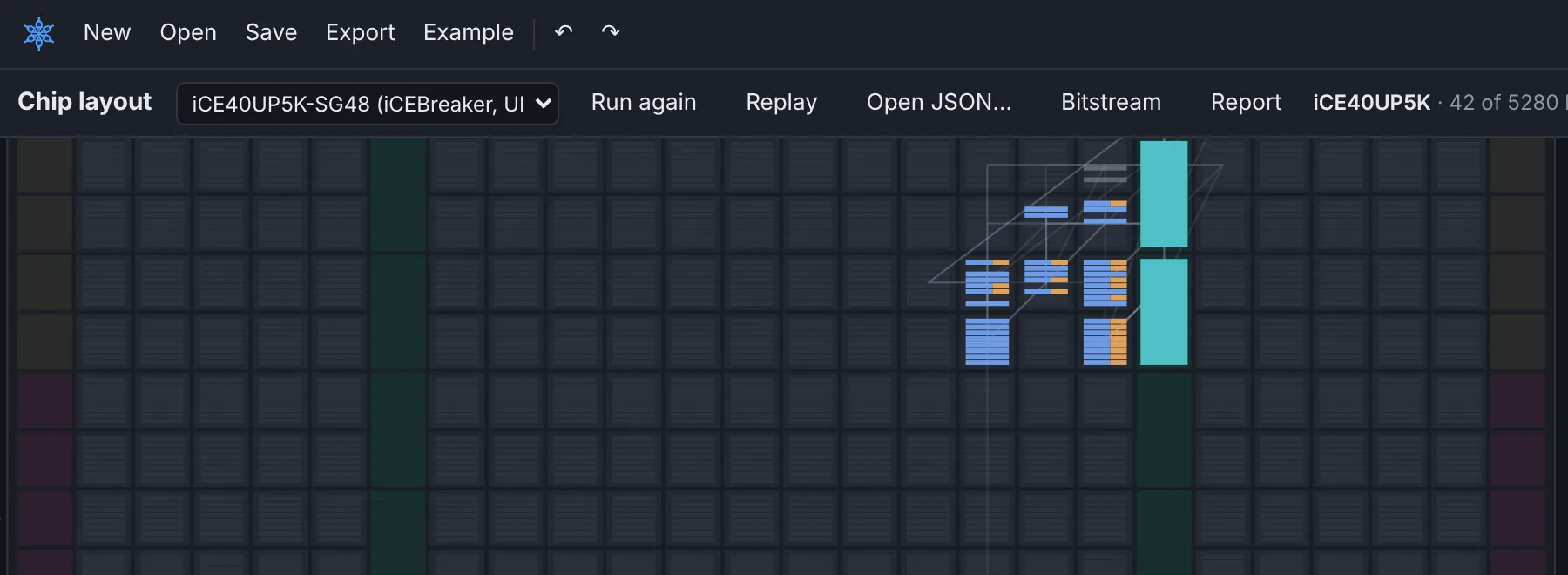
nextpnr runs right in the page. Every logic cell, block RAM and clock buffer lands on its real tile, with utilization and maximum clock frequency. Click a tile to find its part in the schematic.
Visual FPGA design for iCE40
Draw your circuit like a schematic and watch every signal move while you build it. Snowgate checks the design, places and routes it, and hands you a bitstream for an iCE40 FPGA. All in your browser, with no HDL to write.
Nothing to install. No account needed to start.
Always-live simulation
There's no compile-and-wait. Every wire shows its logic level the moment you connect it, so a wrong connection shows up right away instead of on the bench.
From schematic to silicon
nextpnr runs right in the page. Every logic cell, block RAM and clock buffer lands on its real tile, with utilization and maximum clock frequency. Click a tile to find its part in the schematic.
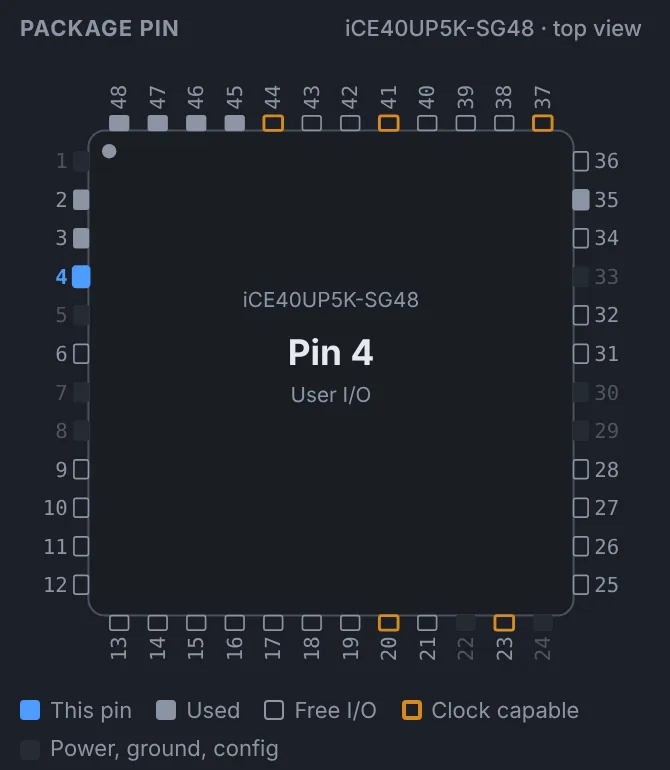
A top view of your exact chip. Clock-capable pins are marked and power pins are greyed out.
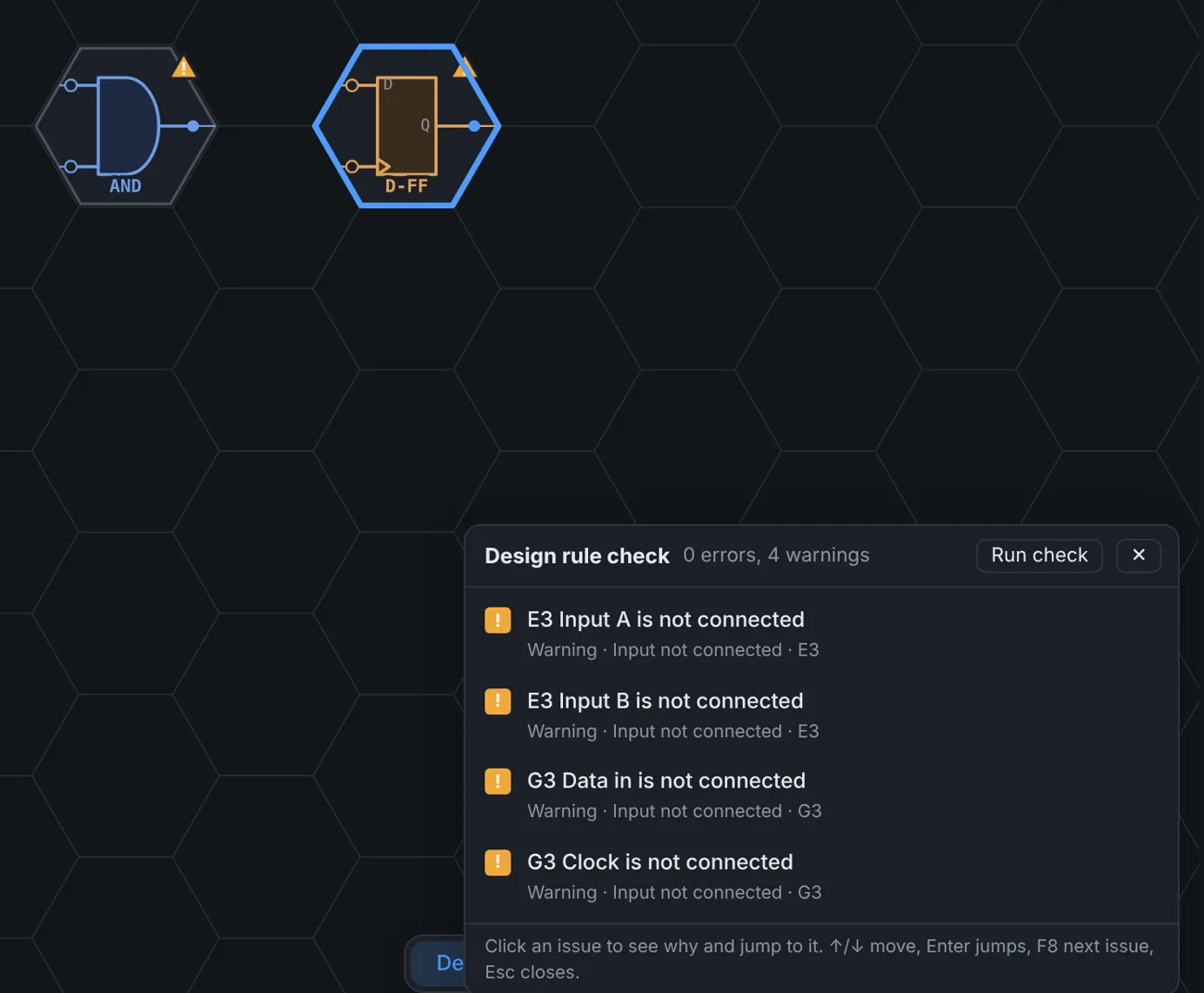
Shorted outputs, undriven nets, combinational loops, bus width mismatches, clocks off the global network, PLL settings out of range.
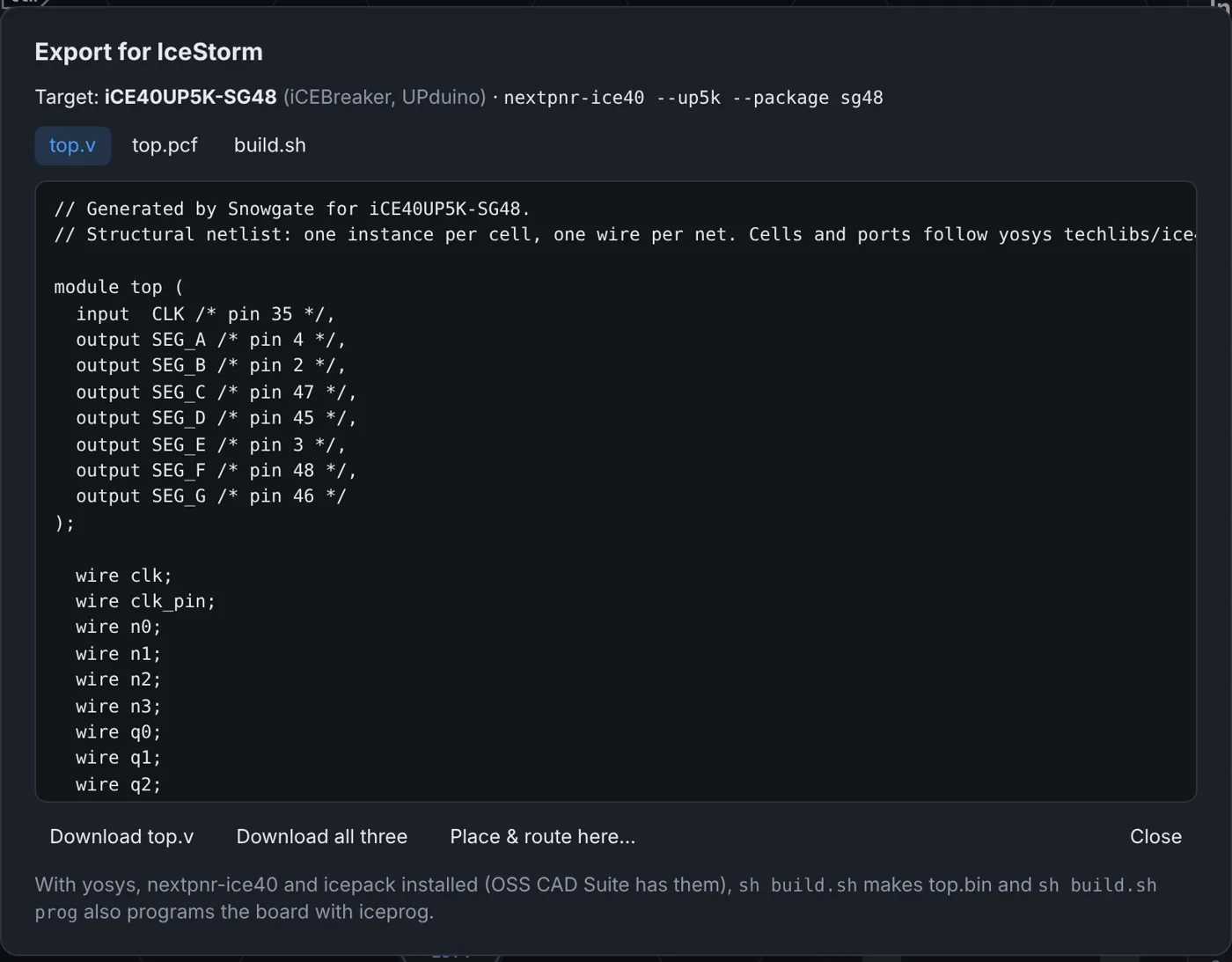
Export a structural netlist, pin constraints and a build script for yosys, nextpnr and icepack. Nothing is locked in.
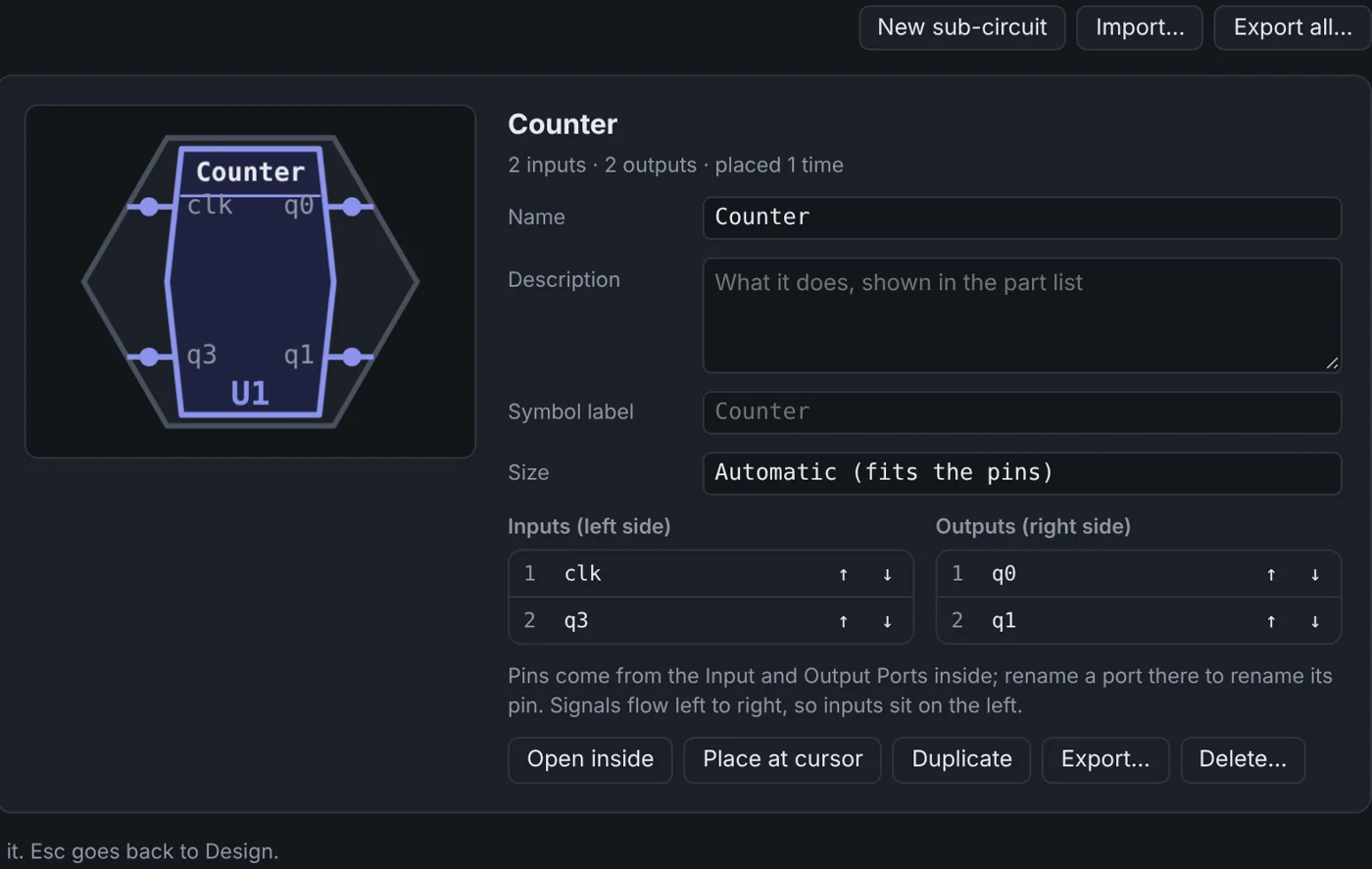
Turn a group of parts into one symbol with named pins. Place as many copies as you like, open any copy to see its live signals, and change it once to update them all.
The whole flow, in one tab
Place parts on the hex grid and wire their pins.
Every net shows its value, live.
Catch wiring, pin and clocking mistakes.
Map every part to a tile on the die.
Download the file for your board.
One-click programming is planned.
Steps 01 to 05 run on your own computer inside the browser. The first place and route downloads the open-source tools once (about 55 MB), then they're cached.
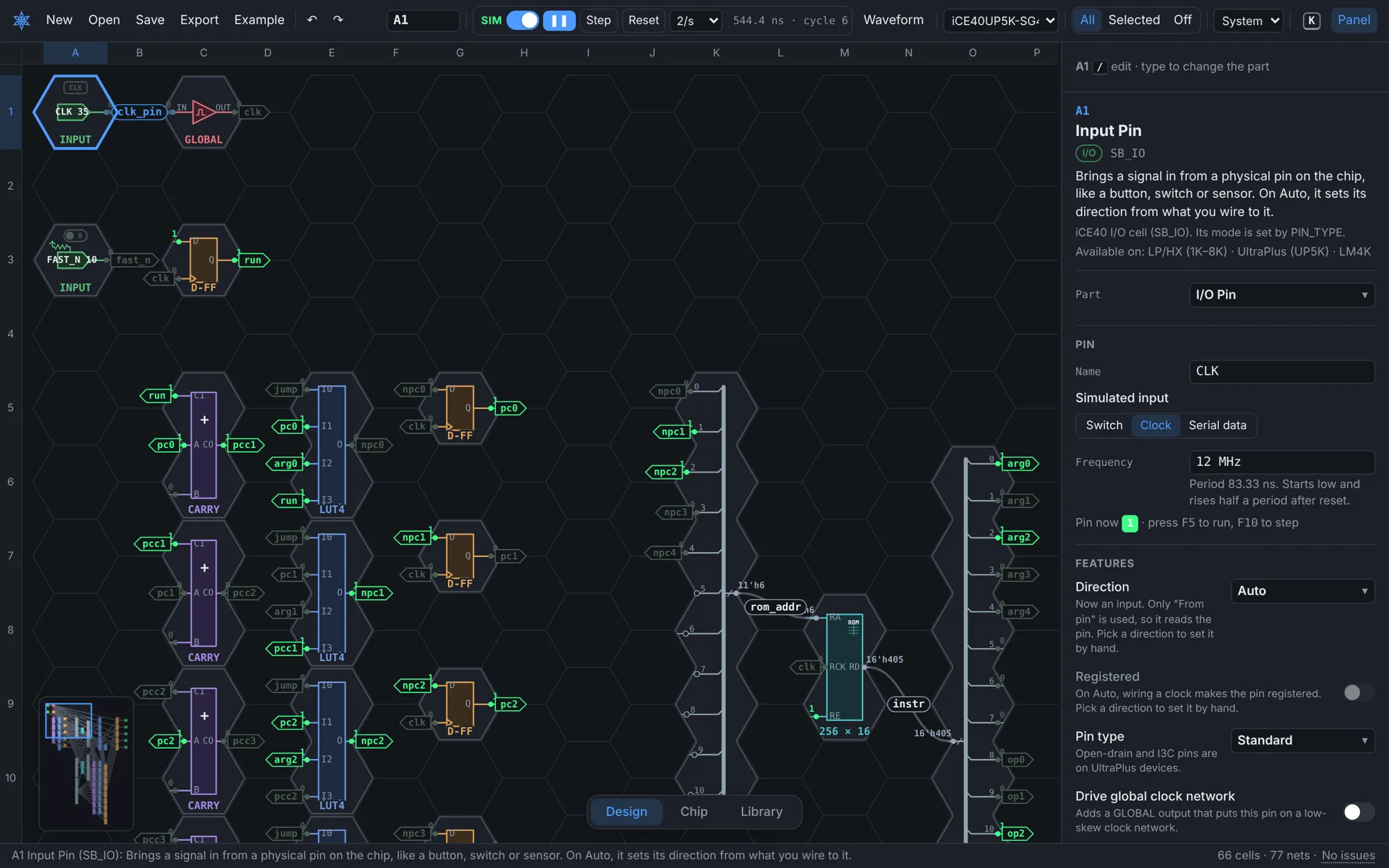
Built-in example
A program counter on the carry chain, its program in a block RAM used as ROM, sixteen registers in a second block RAM, and an accumulator. Press Run and watch it count in binary on the iCEBreaker's LEDs.
iCE40UP5K-SG48, placed and routed in the browser with nextpnr-ice40.
Specifications
Open Snowgate, load an example and press Run. You'll see the logic move before you've placed a single part.